

博客系统实现自动化测试
创始人
2025-05-30 00:36:56
0次
目录
一、设计博客系统的测试用例
二、利用测试用例进行测试
测试登录页面
界面测试
功能测试
测试博客列表页
界面测试
功能测试
测试博客详情页
界面测试
功能测试
博客编辑页测试
界面测试
功能测试
一、设计博客系统的测试用例
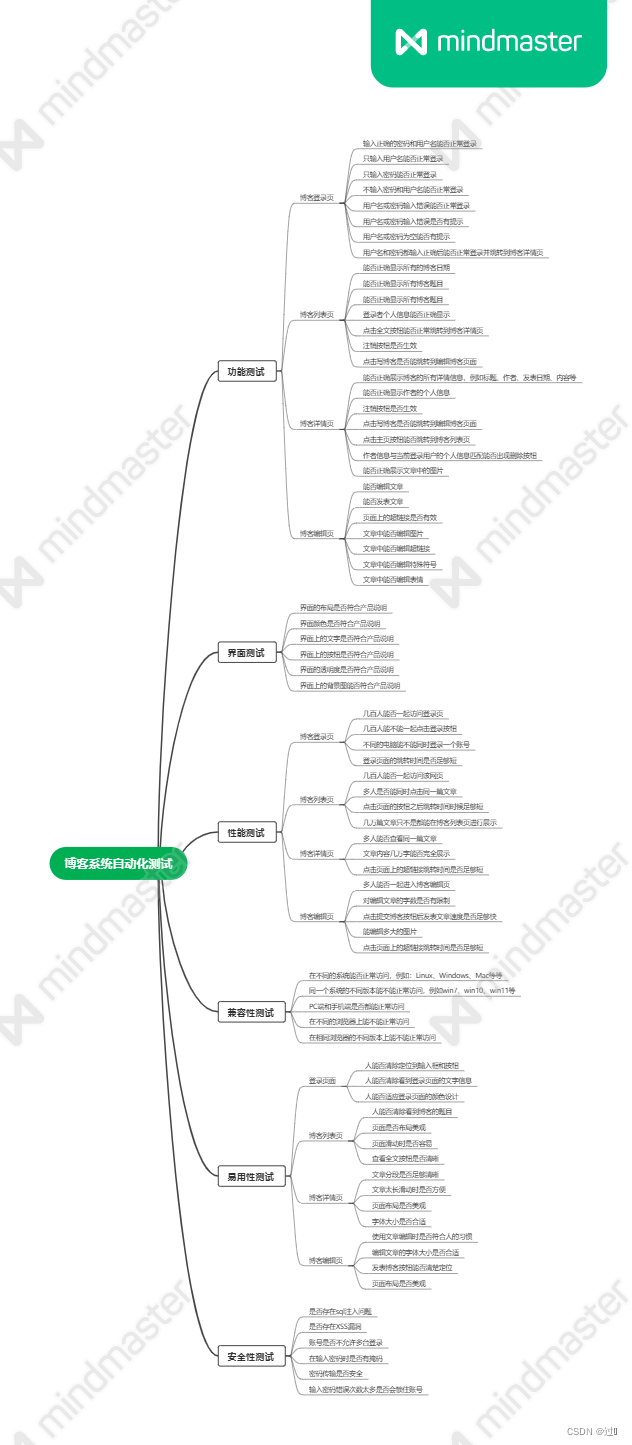
二、利用测试用例进行测试
测试的文件放在maven项目的test文件夹下,需要在之前的maven项目中添加一些自动化测试的依赖:
org.seleniumhq.selenium selenium-java 4.0.0 org.junit.jupiter junit-jupiter 5.8.2 test org.junit.platform junit-platform-suite 1.8.2 test org.junit.platform junit-platform-reporting 1.8.2 测试登录页面
首先定义start方法和close方法,并利用相关注解使其在测试之前和测试之后都执行一次。
@BeforeAllpublic void start(){driver = getDriver();driver.get("http://43.143.208.132:8080/blog_system/blog-login.html");//使用隐式等待渲染页面完成driver.manage().timeouts().implicitlyWait(Duration.ofSeconds(3));}@AfterAllpublic void close(){driver.quit();}界面测试
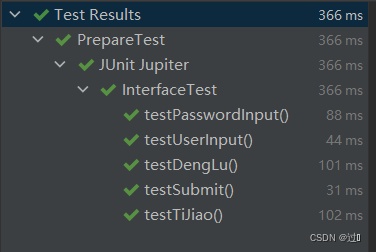
首先来测试界面的文字信息以及页面的元素布局是否正确。
public class InterfaceTest {public static ChromeDriver driver;public static ChromeDriver getDriver(){if(driver == null){synchronized (PrepareTest.class){if(driver == null){driver = new ChromeDriver();}}}return driver;}@BeforeAllpublic  static void start(){driver = getDriver();driver.get("http://43.143.208.132:8080/blog_system/blog-login.html");//使用隐式等待渲染页面完成driver.manage().timeouts().implicitlyWait(Duration.ofSeconds(3));}@AfterAllpublic static  void close(){driver.quit();}/*** 测试登陆文字*/@Testpublic void testDengLu(){String dengLu =  driver.findElement(By.xpath("/html/body/div[2]/div/h3")).getText();Assertions.assertEquals(dengLu,"登录");}/*** 测试提交按钮的文字*/@Testpublic void testTiJiao(){String tiJiao =  driver.findElement(By.xpath("//*[@id=\"submit\"]")).getAttribute("value");Assertions.assertEquals(tiJiao,"提交");}/*** 测试用户名输入框*/@Testpublic void testUserInput(){WebElement webElement =  driver.findElement(By.xpath("/html/body/div[2]/div/form/div[1]/span[2]/input"));Assertions.assertNotNull(webElement);}/*** 测试密码输入框*/@Testpublic void testPasswordInput(){WebElement webElement =  driver.findElement(By.xpath("/html/body/div[2]/div/form/div[2]/span[2]/input"));Assertions.assertNotNull(webElement);}/*** 测试提交按钮*/@Testpublic void testSubmit(){WebElement webElement =  driver.findElement(By.xpath("//*[@id=\"submit\"]"));Assertions.assertNotNull(webElement);}
} 
功能测试
测试输入正确的用户名和密码、错误的用户名或密码以及空的用户名或密码来查看是否会跳转到博客列表页。
测试正确的用户名和密码:
/*** 测试正确登录*/@ParameterizedTest@CsvSource(value = {"zhangsan,1234","zhangyi,1234"})public void testLoginTrue(String user,String password){driver.findElement(By.xpath("/html/body/div[2]/div/form/div[1]/span[2]/input")).clear();driver.findElement(By.xpath("/html/body/div[2]/div/form/div[1]/span[2]/input")).sendKeys(user);driver.findElement(By.xpath("/html/body/div[2]/div/form/div[2]/span[2]/input")).clear();driver.findElement(By.xpath("/html/body/div[2]/div/form/div[2]/span[2]/input")).sendKeys(password);driver.findElement(By.xpath("//*[@id=\"submit\"]")).click();String url = driver.getCurrentUrl();Assertions.assertEquals(url,"http://43.143.208.132:8080/blog_system/blog-list.html");driver.navigate().back();}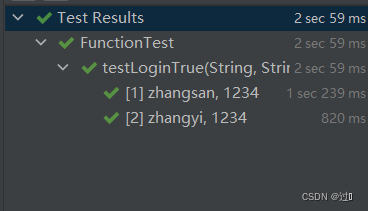
测试用户名或密码为空:
/*** 测试用户名或密码为空*/@ParameterizedTest@CsvSource(value = {"zhangyi,",",1234",","})public void testLoginNull(String user,String password){driver.findElement(By.xpath("/html/body/div[2]/div/form/div[1]/span[2]/input")).clear();if(user != null){driver.findElement(By.xpath("/html/body/div[2]/div/form/div[1]/span[2]/input")).sendKeys(user);}driver.findElement(By.xpath("/html/body/div[2]/div/form/div[2]/span[2]/input")).clear();if(password != null){driver.findElement(By.xpath("/html/body/div[2]/div/form/div[2]/span[2]/input")).sendKeys(password);}driver.findElement(By.xpath("//*[@id=\"submit\"]")).click();String tips = driver.findElement(By.xpath("/html/body")).getText();Assertions.assertEquals("用户名或密码不能为空",tips);driver.navigate().back();}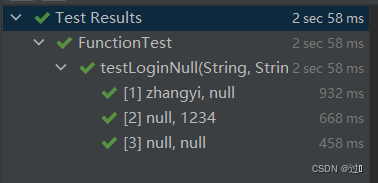
测试用户名或密码错误:
/*** 测试用户名或密码错误*/@ParameterizedTest@CsvSource(value = {"zhangyi,6781","liuyy,1234"})public void testLoginFalse(String user,String password){driver.findElement(By.xpath("/html/body/div[2]/div/form/div[1]/span[2]/input")).clear();driver.findElement(By.xpath("/html/body/div[2]/div/form/div[1]/span[2]/input")).sendKeys(user);driver.findElement(By.xpath("/html/body/div[2]/div/form/div[2]/span[2]/input")).clear();driver.findElement(By.xpath("/html/body/div[2]/div/form/div[2]/span[2]/input")).sendKeys(password);driver.findElement(By.xpath("//*[@id=\"submit\"]")).click();String tips = driver.findElement(By.xpath("/html/body")).getText();Assertions.assertEquals("用户名或密码错误",tips);driver.navigate().back();}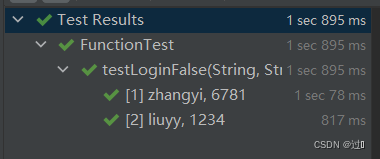
测试博客列表页
界面测试
主要测试页面的文字,个人信息以及查看全文按钮是否正常显示。
public class InterfaceTest {public static ChromeDriver driver;public static ChromeDriver getDriver(){if(driver == null){synchronized (PrepareTest.class){if(driver == null){driver = new ChromeDriver();}}}return driver;}@BeforeAllpublic static void start(){driver = getDriver();driver.get("http://43.143.208.132:8080/blog_system/blog-login.html");//使用隐式等待渲染页面完成driver.manage().timeouts().implicitlyWait(Duration.ofSeconds(3));driver.findElement(By.xpath("/html/body/div[2]/div/form/div[1]/span[2]/input")).clear();driver.findElement(By.xpath("/html/body/div[2]/div/form/div[1]/span[2]/input")).sendKeys("zhangsan");driver.findElement(By.xpath("/html/body/div[2]/div/form/div[2]/span[2]/input")).clear();driver.findElement(By.xpath("/html/body/div[2]/div/form/div[2]/span[2]/input")).sendKeys("1234");driver.findElement(By.xpath("//*[@id=\"submit\"]")).click();}@AfterAllpublic static void close(){driver.quit();}/*** 测试个人信息*/@Testpublic void testInfo(){String dengLu = driver.findElement(By.xpath("/html/body/div[2]/div[1]/div/a")).getText();Assertions.assertEquals(dengLu,"gitee地址");String user = driver.findElement(By.xpath("/html/body/div[2]/div[1]/div/h3")).getText();Assertions.assertEquals(user,"zhangsan");}/*** 测试查看全文按钮的文字*/@Testpublic void testQuanWen(){String tiJiao = driver.findElement(By.xpath("/html/body/div[2]/div[2]/div[1]/a")).getText();Assertions.assertEquals("查看全文",tiJiao);}/*** 测试个人信息的头像是否正常*/@Testpublic void testUserInput(){WebElement webElement = driver.findElement(By.xpath("/html/body/div[2]/div[1]/div/img"));Assertions.assertNotNull(webElement);}/*** 测试文章标题是否正常*/@Testpublic void testPasswordInput(){WebElement webElement = driver.findElement(By.xpath("/html/body/div[2]/div[2]/div[1]/div[1]"));Assertions.assertNotNull(webElement);}} 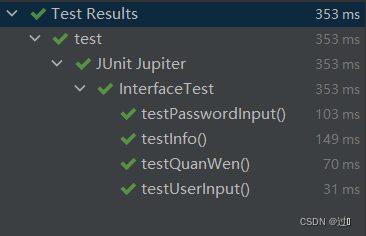
功能测试
查看全文按钮的功能是否正常。
/*** 查看全文按钮是否能正确跳转*/@Testpublic void testQuanWen(){driver.findElement(By.xpath("/html/body/div[2]/div[2]/div[1]/a")).click();String url = driver.getCurrentUrl();Assertions.assertEquals("http://43.143.208.132:8080/blog_system/blog-detail.html?blogId=5",url);driver.navigate().back();}写博客按钮是否正常。
/*** 写博客超链接是否正常*/@Testpublic void testXieBoKe(){driver.findElement(By.xpath("/html/body/div[1]/a[2]")).click();String url = driver.getCurrentUrl();Assertions.assertEquals("http://43.143.208.132:8080/blog_system/blog-edit.html",url);driver.navigate().back();}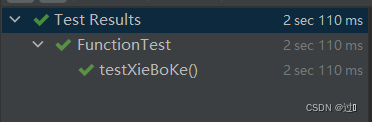
测试注销超链接是否正常。
/*** 注销超链接是否正常*/@Testpublic void testZhuXiao(){driver.findElement(By.xpath("/html/body/div[1]/a[3]")).click();String url = driver.getCurrentUrl();Assertions.assertEquals("http://43.143.208.132:8080/blog_system/blog-login.html",url);driver.navigate().back();}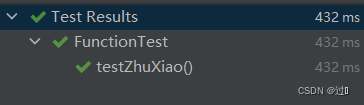
测试博客详情页
界面测试
测试博客的详情信息是否都正确显示。
public class InterfaceTest {public static ChromeDriver driver;public static ChromeDriver getDriver(){if(driver == null){synchronized (PrepareTest.class){if(driver == null){driver = new ChromeDriver();}}}return driver;}@BeforeAllpublic static void start(){driver = getDriver();driver.get("http://43.143.208.132:8080/blog_system/blog-login.html");//使用隐式等待渲染页面完成driver.manage().timeouts().implicitlyWait(Duration.ofSeconds(3));driver.findElement(By.xpath("/html/body/div[2]/div/form/div[1]/span[2]/input")).clear();driver.findElement(By.xpath("/html/body/div[2]/div/form/div[1]/span[2]/input")).sendKeys("zhangsan");driver.findElement(By.xpath("/html/body/div[2]/div/form/div[2]/span[2]/input")).clear();driver.findElement(By.xpath("/html/body/div[2]/div/form/div[2]/span[2]/input")).sendKeys("1234");driver.findElement(By.xpath("//*[@id=\"submit\"]")).click();driver.findElement(By.xpath("/html/body/div[2]/div[2]/div[1]/a")).click();}@AfterAllpublic static void close(){driver.quit();}/*** 测试个人信息*/@Testpublic void testInfo(){String dengLu = driver.findElement(By.xpath("/html/body/div[2]/div[1]/div/a")).getText();Assertions.assertEquals(dengLu,"gitee地址");String user = driver.findElement(By.xpath("/html/body/div[2]/div[1]/div/h3")).getText();Assertions.assertEquals(user,"zhanger");WebElement webElement = driver.findElement(By.xpath("/html/body/div[2]/div[1]/div/img"));Assertions.assertNotNull(webElement);}/*** 测试文章标题*/@Testpublic void testTitle(){String title = driver.findElement(By.xpath("/html/body/div[2]/div[2]/div/h3")).getText();Assertions.assertNotNull(title);}/*** 测试文章发表日期*/@Testpublic void testDate(){String date = driver.findElement(By.xpath("/html/body/div[2]/div[2]/div/div[1]")).getText();Assertions.assertNotNull(date);}/***测试文章正文*/public void testText(){String text = driver.findElement(By.xpath("//*[@id=\"desc\"]/p")).getText();Assertions.assertNotNull(text);}}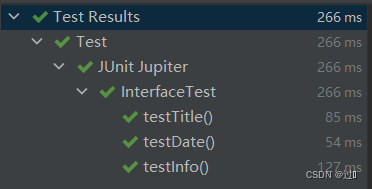
功能测试
博客详情页的功能测试与博客列表页相似,主要是对超链接进行测试。
@TestMethodOrder(MethodOrderer.OrderAnnotation.class)
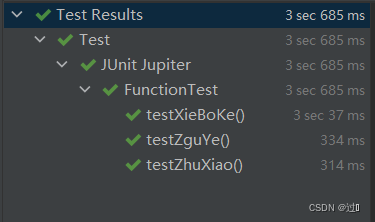
public class FunctionTest {public static ChromeDriver driver;public static ChromeDriver getDriver(){if(driver == null){synchronized (PrepareTest.class){if(driver == null){driver = new ChromeDriver();}}}return driver;}@BeforeAllpublic  static void start(){driver = getDriver();driver.get("http://43.143.208.132:8080/blog_system/blog-login.html");//使用隐式等待渲染页面完成driver.manage().timeouts().implicitlyWait(Duration.ofSeconds(3));driver.findElement(By.xpath("/html/body/div[2]/div/form/div[1]/span[2]/input")).clear();driver.findElement(By.xpath("/html/body/div[2]/div/form/div[1]/span[2]/input")).sendKeys("yiyi");driver.findElement(By.xpath("/html/body/div[2]/div/form/div[2]/span[2]/input")).clear();driver.findElement(By.xpath("/html/body/div[2]/div/form/div[2]/span[2]/input")).sendKeys("1234");driver.findElement(By.xpath("//*[@id=\"submit\"]")).click();driver.findElement(By.xpath("/html/body/div[2]/div[2]/div[1]/a")).click();}@AfterAllpublic static  void close(){driver.quit();}/*** 写博客超链接是否正常*/@Test@Order(1)public void testXieBoKe(){driver.findElement(By.xpath("/html/body/div[1]/a[2]")).click();String url = driver.getCurrentUrl();Assertions.assertEquals("http://43.143.208.132:8080/blog_system/blog-edit.html",url);driver.navigate().back();}/***测试主页超链接是否正常*/@Test@Order(2)public void testZguYe(){driver.findElement(By.xpath("/html/body/div[1]/a[1]")).click();String url = driver.getCurrentUrl();Assertions.assertEquals("http://43.143.208.132:8080/blog_system/blog-list.html",url);driver.navigate().back();}/*** 注销超链接是否正常*/@Test@Order(3)public void testZhuXiao(){driver.findElement(By.xpath("/html/body/div[1]/a[3]")).click();String url = driver.getCurrentUrl();Assertions.assertEquals("http://43.143.208.132:8080/blog_system/blog-login.html",url);driver.navigate().back();}}
博客编辑页测试
界面测试
查看页面的元素能否正确展示。
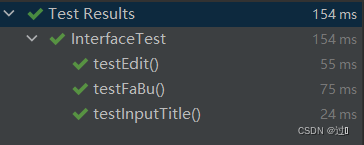
public class InterfaceTest {public static ChromeDriver driver;public static ChromeDriver getDriver(){if(driver == null){synchronized (PrepareTest.class){if(driver == null){driver = new ChromeDriver();}}}return driver;}@BeforeAllpublic  static void start(){driver = getDriver();driver.get("http://43.143.208.132:8080/blog_system/blog-login.html");//使用隐式等待渲染页面完成driver.manage().timeouts().implicitlyWait(Duration.ofSeconds(3));driver.findElement(By.xpath("/html/body/div[2]/div/form/div[1]/span[2]/input")).clear();driver.findElement(By.xpath("/html/body/div[2]/div/form/div[1]/span[2]/input")).sendKeys("zhangsan");driver.findElement(By.xpath("/html/body/div[2]/div/form/div[2]/span[2]/input")).clear();driver.findElement(By.xpath("/html/body/div[2]/div/form/div[2]/span[2]/input")).sendKeys("1234");driver.findElement(By.xpath("//*[@id=\"submit\"]")).click();driver.findElement(By.xpath("/html/body/div[1]/a[2]")).click();}@AfterAllpublic static  void close(){driver.quit();}@Testpublic  void testEdit(){WebElement webElement = driver.findElement(By.xpath("//*[@id=\"editor\"]/div[1]/div[6]"));Assertions.assertNotNull(webElement);}@Testpublic  void testFaBu(){String str = driver.findElement(By.xpath("//*[@id=\"submit\"]")).getAttribute("value");Assertions.assertEquals("发布文章",str);}@Testpublic void testInputTitle(){WebElement webElement = driver.findElement(By.xpath("//*[@id=\"title\"]"));Assertions.assertNotNull(webElement);}
}
功能测试
测试能否正确发表文章。
/*** 测试发表文章是否正常*/@Testpublic void submit(){driver.findElement(By.xpath("//*[@id=\"editor\"]/div[1]/div[6]")).sendKeys("自动化测试的流程:");driver.findElement(By.xpath("//*[@id=\"title\"]")).sendKeys("自动化测试");driver.findElement(By.xpath("//*[@id=\"submit\"]")).click();String url = driver.getCurrentUrl();Assertions.assertEquals("http://43.143.208.132:8080/blog_system/blog-list.html",url);driver.navigate().back();}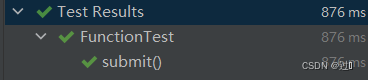
标题为空时,无法发表。
/*** 标题为空无法发表*/@Testpublic void submitNull(){driver.findElement(By.xpath("//*[@id=\"title\"]")).clear();driver.findElement(By.xpath("//*[@id=\"submit\"]")).click();String url = driver.getCurrentUrl();Assertions.assertNotEquals("http://43.143.208.132:8080/blog_system/blog-list.html",url);driver.navigate().back();}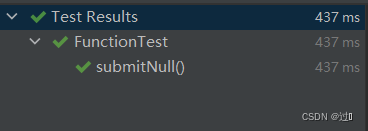
相关内容
热门资讯
银行、消金公司助贷余额增速不得...
近日,中国证券报记者从多位业内人士处独家获悉,5月以来,多地金融监管部门对部分中小银行、消金公司下达...
朱鸿接任陈航,担任钉钉科技有限...
消费日报-今朝新闻讯 天眼查显示,6月23日,钉钉科技有限公司发生工商变更,陈航卸任法定代表人、董事...
3日累跌超20%,德创环保:公...
6月25日, 德创环保(603177.SH)公告,公司股票于2026年6月23日、6月24日和6月2...
北京发布2026年第七轮拟供商...
央广网北京6月25日消息(记者门庭婷)6月25日,北京市规划和自然资源委员会网站发布了2026年第七...
开放麦 | 启明创投胡奇:从A...
“2026年,创投圈的浪潮再次翻涌:AI从技术概念走进产业深水区,硬科技创业从“小众赛道” 变成“主...
腾讯孙忠怀:在行业转身处
6月24日,2026腾讯视频年度发布在上海举行。腾讯公司副总裁、腾讯在线视频董事长孙忠怀以《在行业转...
加息,突变!美联储,重磅传来!...
美联储政策路径突生变数。 美国商务部经济分析局最新公布的数据显示,5月个人消费支出(PCE)物价指数...
6月合肥上门收金必看!5步避坑...
2026年6月,合肥黄金市场持续高位运行,不少市民翻出家里闲置的旧金饰、投资金条想变现,上门回收因为...
潮汕女富豪挂帅后加码液冷!祥鑫...
潮汕女强人,带着百亿公司加码液冷散热。 6月24日晚间,祥鑫科技(002965.SZ)公告称,公司董...
马斯克向太空要电,GobiX ...
一场关于「去哪里找电」的全球竞赛,正在朝两个方向展开。 作者|周永亮 编辑| 郑玄 「太空光伏是不是...
原料药行业陷入周期低谷 有药企...
每经记者|许立波 每经编辑|魏文艺 “过完年到现在,我们整个团队每个月都在出差,跑遍了亚非拉、欧美市...
家门口筛查白内障!永顺泽家镇暖...
大众卫生报·新湖南客户端6月25日讯(通讯员 彭雪姣)为切实解决辖区老年性白内障患者异地就医奔波、就...
终于等到!油价马上再大跌,这个...
点击添加图片描述(最多60个字) 编辑 各位车主朋友,好消息接二连三! 继6月18日油价大幅下调...
丈量出海新路 世界酒庄影响力指...
长期以来,全球酒庄评价体系由西方机构主导,且大多局限于单一酒种、单一评价维度,这一局面正逐渐被打破。...
峰瑞资本创始合伙人李丰:从资本...
“2026年,创投圈的浪潮再次翻涌:AI从技术概念走进产业深水区,硬科技创业从“小众赛道” 变成“主...
原创 A...
迈向成熟,还有茁壮成长的机会。 作者 | 方璐 编辑丨于婞 来源 | 野马财经 2026年6月21日...
为企业解锁出海新通道!亚太中小...
6月24日下午,作为2026年APEC中小企业工商论坛的重要组成部分,亚太中小企业国际化合作发展论坛...
君赛生物港股IPO,增聘兴证国...
跟丰宜科技一样,正冲刺港股IPO的上海君赛生物股份有限公司(简称“君赛生物”)增聘一位整体协调人。 ...
圣邦股份明日上市:暗盘涨24%...
雷递网 雷建平 6月25日 圣邦微电子(北京)股份有限公司(简称:“圣邦股份”,股票代码:“0366...
科技“吃肉”,券商跟着“喝汤”...
当科技持续成为市场核心主线,押中硬科技项目的券商也成为被追逐的焦点。 6月24日,半导体零部件概念股...